Why does my TikTok have 0 views?
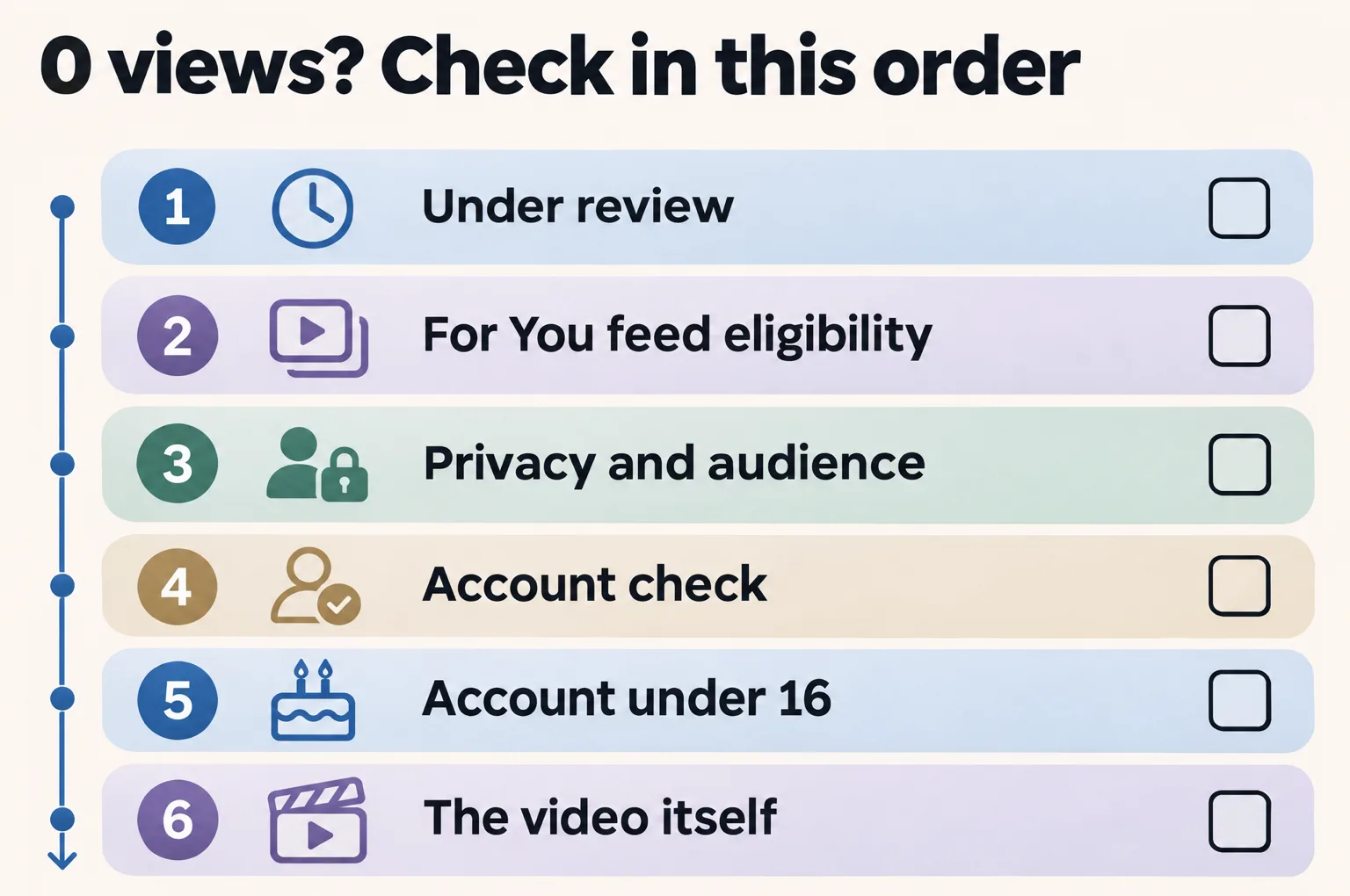
A TikTok at 0 views is usually under review, not eligible for the For You feed, limited by settings or simply not picked yet. Here's how to check each one.
Research method and disclosure
A documentation-based guide. TikTok's Community Guidelines, For You feed eligibility standards, recommendation system explainer and help center pages were checked on November 25, 2026. The suggestions for improving a video are editorial inferences from what TikTok says it measures; NaviStack has not published a test of them. Images are AI-generated editorial illustrations.
NaviStack sells the UGC Social Growth service described near the end of this guide.
A TikTok stuck at 0 views usually has a cause you can check. Two of them, a review and a post that isn't eligible for the For You feed, show up in the app if you know where to look. Others depend on your settings, such as a private account, a post limited to a smaller audience or an account under 16. If every check comes back clear, TikTok's recommendation system simply hasn't shown the video to anyone yet, and that isn't a penalty.
This guide is based on TikTok's Community Guidelines, its For You feed eligibility standards, its recommendation system explainer and its help center pages, all checked on November 25, 2026. Menus and rules change, so follow the linked pages if a step looks different in your app. NaviStack hasn't run a published test of these checks; it's a documentation-based guide. Images are AI-generated editorial illustrations.
TL;DR
| Your question | Short answer |
|---|---|
| Why does my TikTok have 0 views? | Check, in order: whether the post is under review, whether it was made ineligible for the For You feed, your privacy and audience settings, your account check and whether the account is under 16. |
| Is it a shadowban? | TikTok doesn't use that word. Its pages describe content removal, For You feed ineligibility and account restrictions, and each one can be checked or appealed. |
| How long does it last? | An ineligible post stays out of the For You feed unless an appeal succeeds. Account violations expire after 90 days. |
| What if every check is clear? | Then nothing is blocking the video. TikTok says low views don't necessarily mean a rule was broken. Work on the video itself. |
| What makes it worse? | Buying views or followers, automation tools and opening a new account to get around a restriction. TikTok removes fake engagement and can ban accounts for all three. |
Why a TikTok gets 0 views
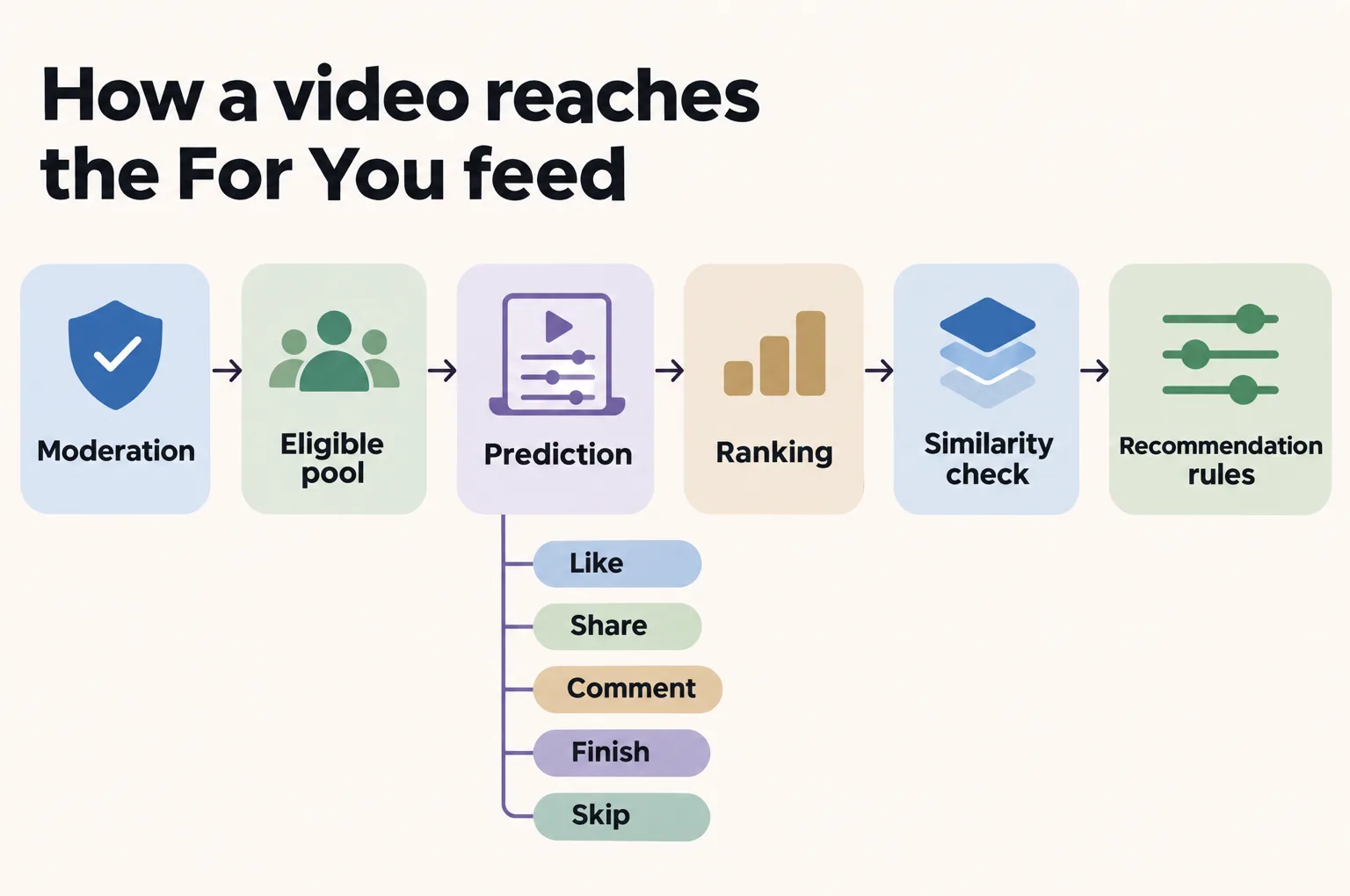
Most views on TikTok come through recommendations, so a post with 0 views is usually a post the For You feed hasn't shown to anyone. TikTok's recommendation system explainer says the system starts from videos that "have passed our initial content moderation processes" and are eligible for recommendation. It then predicts how likely each viewer is to like, share, comment on, finish or skip each one, ranks the videos by that score and runs a similarity check so a feed doesn't show the same kind of video over and over.
That leaves two broad reasons a video sits at zero:
- Something keeps it out of the pool. The post is still being reviewed, it was made ineligible for the For You feed, its audience is limited, the account is restricted or the account belongs to someone under 16.
- It's in the pool but loses the ranking. TikTok predicts that viewers would skip it, so it doesn't rank high enough to be shown.
The first group can be checked. Work through the sections below in order, because the earlier checks are quicker and rule out the more serious causes.
Check whether the post is under review
TikTok's content violations and bans page says that content under review goes to its Trust and Safety team, which decides whether it "should be removed or made ineligible for the For You feed." That can happen when you upload a post, when it gains popularity or when someone reports it.
A review on upload is the usual reason a brand-new video sits at 0 views for a while. If the review finds a violation, TikTok removes the content, tells you why and lets you appeal. If it doesn't, the post becomes available to be recommended.
Check whether the post is eligible for the For You feed
A post can stay on TikTok but be left out of the For You feed. TikTok's For You feed eligibility standards say it makes certain content ineligible for the feed because it "may not be suitable for a broad audience." People can still find an ineligible video through search or on your profile, which is why it may get a handful of views rather than none.
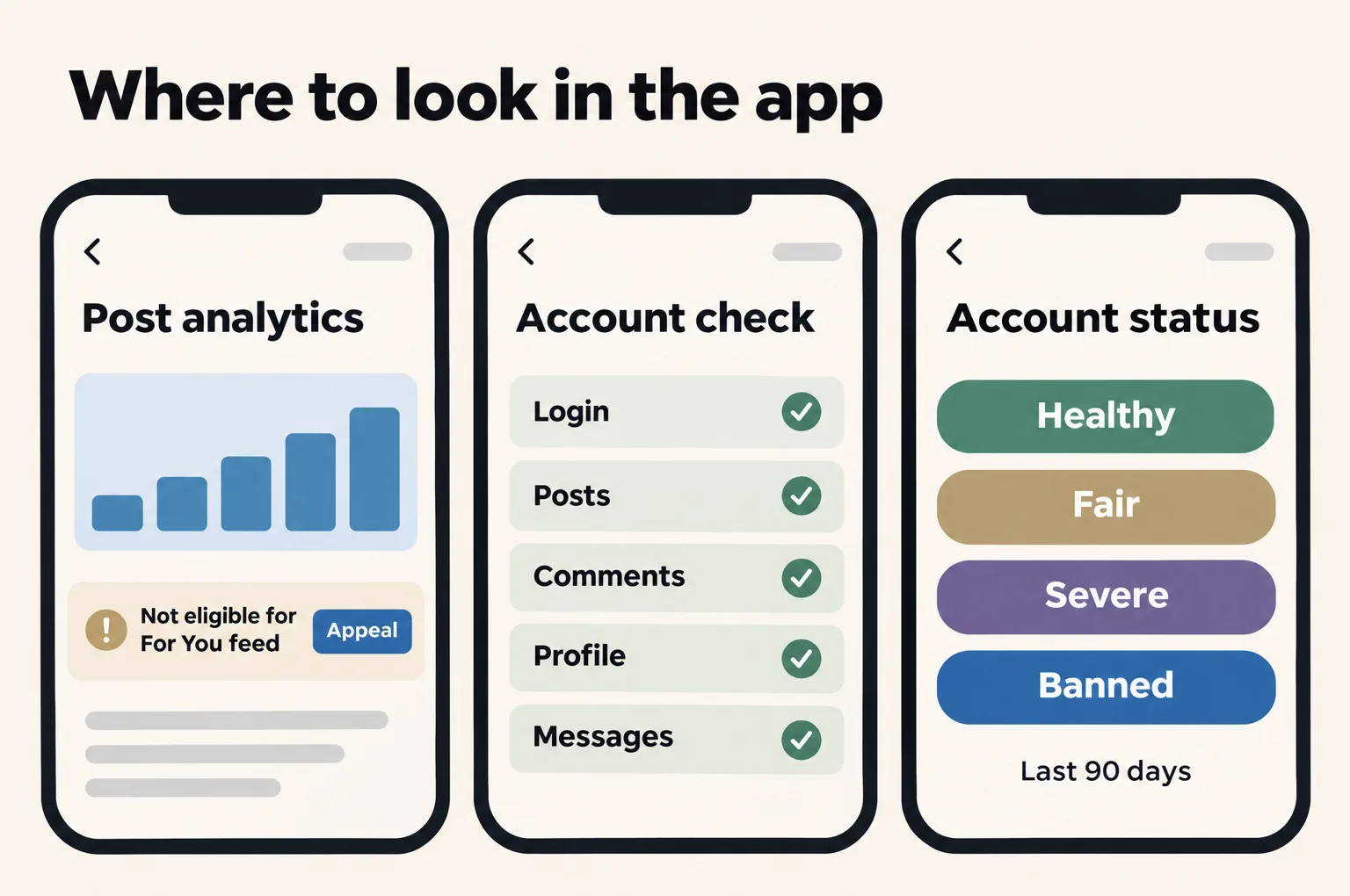
You'll find TikTok's decision in the post's analytics, and you have to turn analytics on first. The content violations page gives these steps:
- Turn on analytics. Tap Profile, tap the Menu ☰ button, select TikTok Studio, tap Get started within Analytics, then tap Turn on.
- Open the post's analytics. Go to the post, then tap More insights at the bottom, or tap the More options … button and then Analytics.
- Read the notification. Tap the notification for the ineligible post to see the reason. You can say whether you understand it and leave feedback.
- Appeal if you disagree. Open the same notification and tap Appeal at the top. If the appeal succeeds, the post becomes eligible for the For You feed again.
Analytics have limits. TikTok's help page on posts not getting views says analytics are only generated for videos posted after you turn the feature on, and the data can take one to two days to update.
What makes a post ineligible
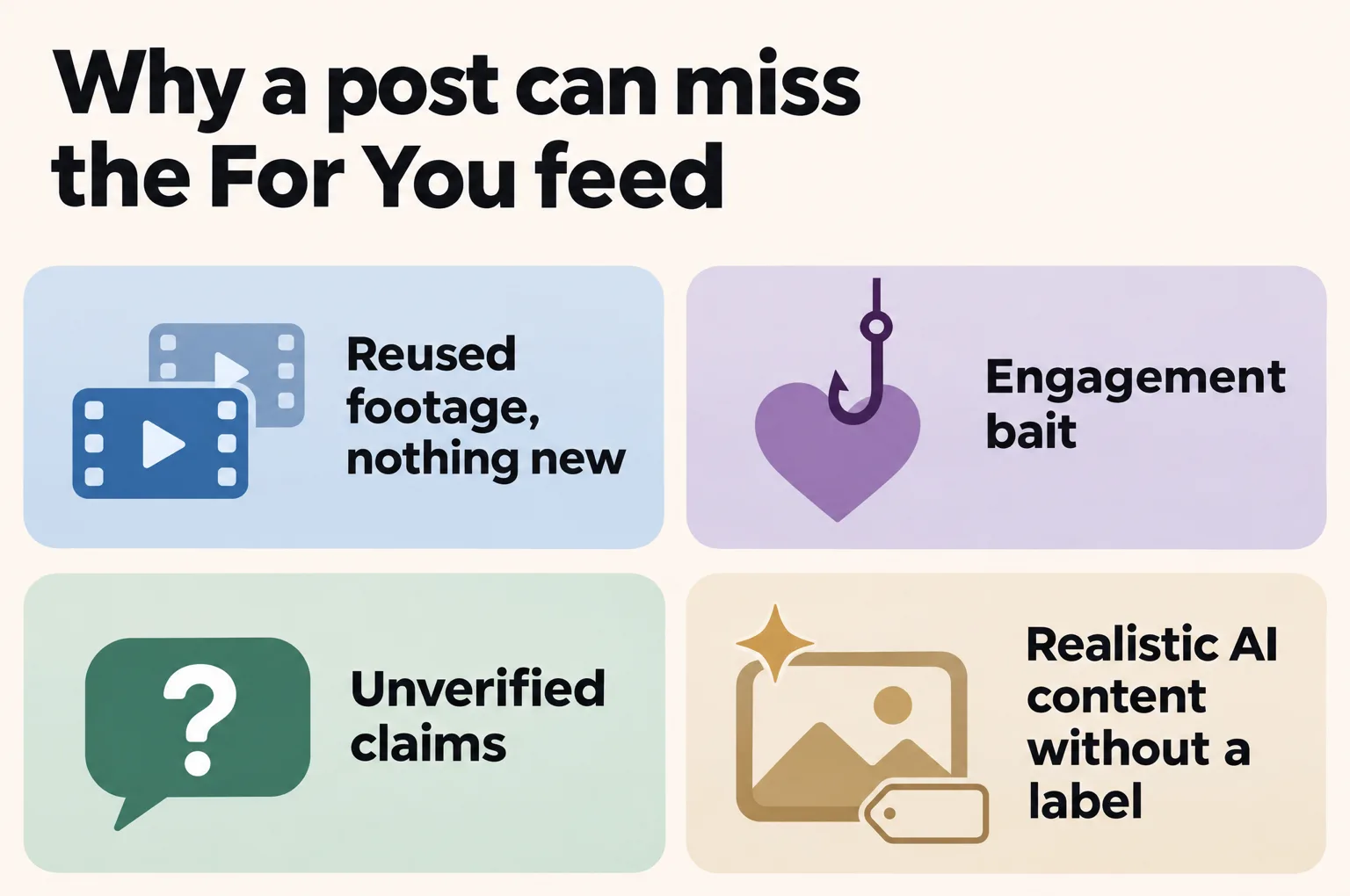
The ineligible categories appear throughout TikTok's Community Guidelines. A few are the ones most likely to catch ordinary marketing and creator content. TikTok's Integrity and Authenticity guidelines say a post is ineligible for the feed in each of these cases:
| What's in the post | What TikTok says |
|---|---|
| Reused footage | Content is ineligible if it "includes unoriginal or reused material without anything new." |
| Engagement bait | Content that tries to manipulate people into giving gifts or inflating likes or follows isn't eligible. |
| Unverified claims | Unverified information about crises or major civic events, and content temporarily under review by fact-checkers, is ineligible. |
| Unlabeled AI content | Realistic AI-generated or significantly edited content needs a label; unlabeled content may be removed, restricted or labeled. |
Other sections of the guidelines add their own ineligible categories, so check the reason TikTok gives for your post before you change anything.
Check your privacy and audience settings
A private account limits who can watch. TikTok's private and public account page says that on a private account you approve who can follow you and watch your videos. That suits a personal account, but it caps the views a marketing account can get.
To check, tap Profile, tap the Menu ☰ button, tap Settings and privacy, tap Privacy, then look at Private account. The same page notes that you can also restrict each post's audience individually, so open a post's own settings if one video gets nothing while the others are doing fine.
Run an account check
If several posts stall at once, look at the account rather than the video. TikTok's account check page shows whether you're restricted from logging in, posting, commenting, editing your profile or sending messages. In the app, tap Profile, tap the Menu ☰ button, select TikTok Studio, then tap Account check under More tools. You'll see a checkmark where there's no issue and a warning sign where there is.
Account status is a separate record. TikTok's content violations page says it reflects your violation history over the last 90 days and can be Healthy, Fair, Severe or Banned. Repeated violations can lower the status, lead to temporary restrictions on features or end in a permanent ban. For some first violations, TikTok may offer optional in-app policy training, and completing it may lift eligible restrictions. Notices of violations are under Inbox, then System notifications, then Account updates.
Check the age on the account
TikTok's recommendation system explainer says "any content created by an account aged under 16 is not eligible for recommendation to the FYF." If the account was set up with a birth date under 16, its videos won't be recommended in the For You feed, however good they are. That's a deliberate youth-safety rule, not a fault you can appeal around.
Is it a TikTok shadowban?
"Shadowban" isn't a term TikTok uses in the guidelines and help pages checked for this guide. People use it to mean their posts are being hidden without being told. What TikTok actually describes is more specific, and in most cases it tells you:
| What people call it | What TikTok's pages describe | Where you see it |
|---|---|---|
| A post got buried | The post was made ineligible for the For You feed | A notification in the post's analytics, with an appeal option |
| A video disappeared | The content was removed for a Community Guidelines violation | A notification with the reason and how to appeal |
| The whole account went quiet | The account is restricted, which can limit posting, appearing in top search results or the For You feed | Account check and account status |
| The account is gone | A permanent ban | A banner when you try to log in |
The restriction row comes from the Integrity and Authenticity guidelines. When TikTok finds deceptive account behavior, it may restrict an account, "which could include limiting your ability to post new content, appear in top search results, or in the FYF." It may also ban the account and any new accounts created to get around the ban.
How long a TikTok shadowban lasts
There isn't one timer. An ineligible post stays out of the For You feed until an appeal succeeds. Account violations expire after 90 days and stop counting toward your account status. Deleting a post doesn't clear the violation: the content violations page says TikTok may still lower your status or restrict the account after you delete violative content.
When nothing is wrong with the account
If the post isn't under review, has no ineligible notice, is public, the account check is clear and the account isn't under 16, then nothing is blocking the video. TikTok's eligibility standards say so directly: "If a video isn't getting many views, it also doesn't necessarily mean it broke a rule."
In that case the video is competing on prediction, and TikTok says what it predicts. Its help page on how TikTok recommends content says that for the For You feed, user interactions "which may include the time spent watching a video" generally carry more weight than other factors. The explainer lists finishing, skipping and time spent viewing among the predictions. A video that people skip in the first seconds gives the system little reason to show it to more viewers.
These changes follow from what TikTok says it measures. They're editorial suggestions, not tested results:
- Make the first seconds earn the watch. Show the result, the problem or the surprising part straight away, before any intro or logo.
- Post original footage. Reposting clips from other accounts can make a post ineligible, and a fresh take gives the system something new to rank.
- Keep the account on one topic. When the videos cover one subject, the system has a clearer idea of which viewers they're for. That's an inference from how TikTok describes its signals, not a documented rule.
- Post regularly. TikTok's help page on growing your audience recommends uploading high-quality content on a regular basis and reviewing your analytics.
- Judge a format over several posts. One video at zero says little. Compare hooks and formats across a run of posts before you decide what to drop.
A new account starts with no followers, so the Following feed and Friends tab can't carry it. Its first views depend almost entirely on recommendations.
What not to do
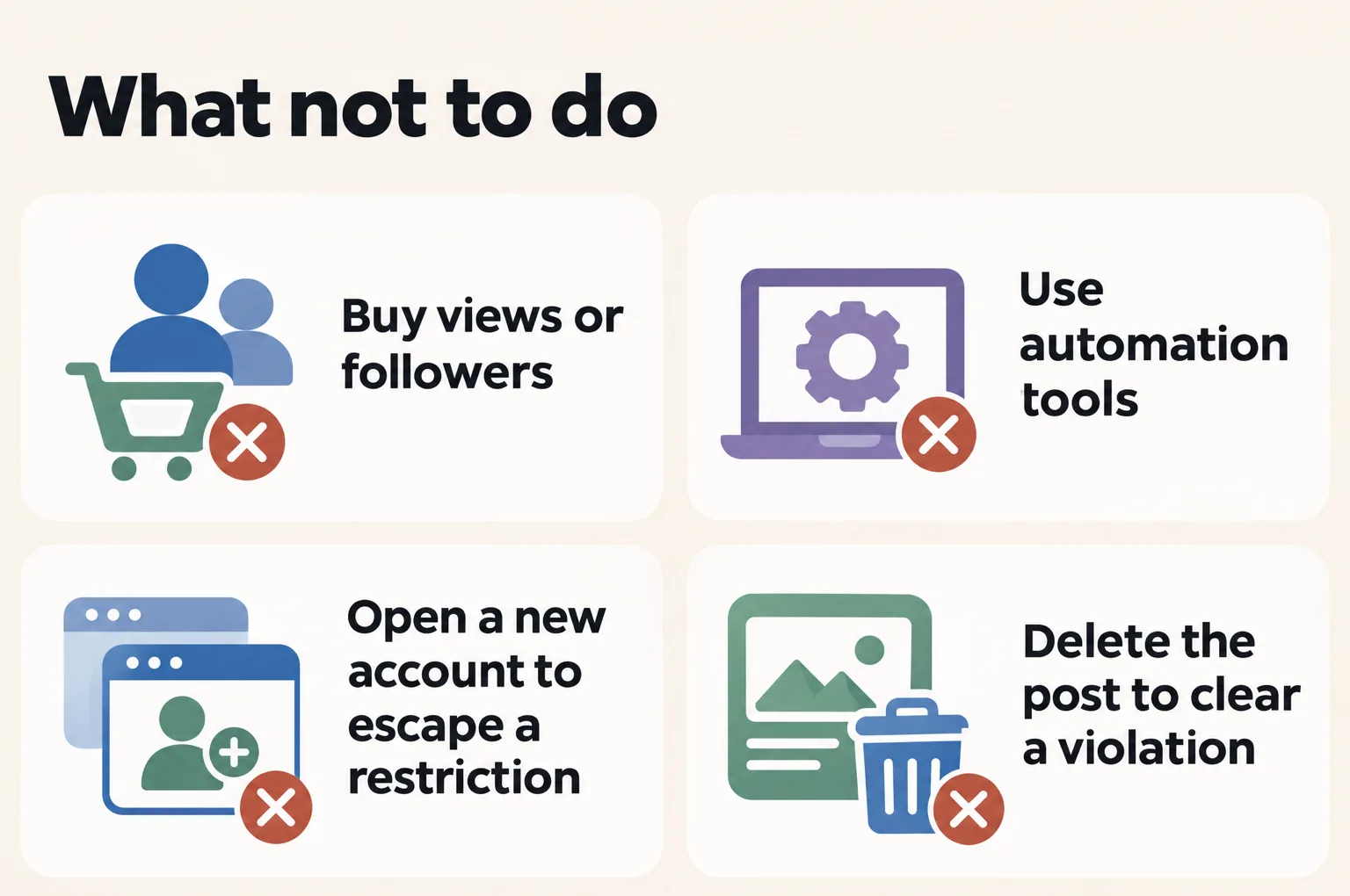
Some fixes people try make the problem worse. All of these are covered in TikTok's own rules:
- Don't buy views, likes or followers. The Integrity and Authenticity guidelines say TikTok removes "fake likes, followers, or other inflated signals" and doesn't allow trading services that artificially boost engagement.
- Don't use automation tools. TikTok "strictly" prohibits automation tools, scripts or other tricks designed to bypass its systems, which can lead to content removal or account bans.
- Don't open a new account to escape a restriction. You can have multiple accounts, but TikTok may restrict or ban one you use to get around a restriction or ban on another account you own.
- Don't count on deleting the post. Deleting violative content doesn't remove the violation.
When your app's TikTok accounts keep getting 0 views
For an app, the checks above are the start. The harder part is producing original videos often enough, across enough accounts, that you can tell a bad hook from a bad week. Most app teams can do that for one account. Doing it for several accounts, each aimed at one use case and one market, is a weekly production job. The guide to running multiple TikTok and Instagram accounts covers how to set that up yourself.
NaviStack's UGC Social Growth service does that work for you:
| What this guide asks you to do | What we handle for you |
|---|---|
| Post original footage, not reused clips | We make app demos, walkthroughs and faceless or AI-presenter videos for each account |
| Keep each account on one topic | A strategy brief sets each account's angle, market and format mix |
| Run account checks and watch for restrictions | We monitor every account's health and replace one if it needs it |
| Stay inside TikTok's rules | Native publishing, with no bought engagement or automation tools |
| Judge formats over several posts | You get a monthly read on which hooks and formats to keep |
Packages start at $2,400 a month for five accounts in one market, with first posts going out in weeks two to three. We don't promise a number of views. Nobody outside TikTok controls what its recommendation system shows, so we report what each post did and change the mix from there.
Questions about TikTok views
Why is my TikTok stuck at 0 views?
The usual reason is that the post is still being reviewed after upload. If it stays at zero, open the post's analytics to check for an ineligible notice, then check that the account and the post are public, run an account check and confirm the account isn't under 16.
How do you know if you're shadowbanned on TikTok?
Check two places. A post's analytics show a notification if the post is ineligible for the For You feed. TikTok Studio's Account check shows whether the account is restricted from posting or other features. If both are clear, nothing is restricting the account.
Why are my TikTok views so low?
If no notice or restriction shows up, the video is probably losing out at the ranking stage. TikTok says watch time is generally one of the most heavily weighted signals for the For You feed. Look at where viewers drop off in your analytics and change the opening seconds first.
Can I get my views back after appealing?
If an appeal succeeds, TikTok says the post becomes eligible for the For You feed again. It doesn't say how many views a post gets after that, so treat the appeal as removing a block rather than a way to recover reach.
Does a new TikTok account get 0 views at first?
It can. A new account has no followers, so its early views come from recommendations. TikTok also reviews content on upload, so the first posts can sit at zero while that happens.
Keep reading
More practical guides and comparisons selected for this topic.