How to market an app after building or buying it
A step-by-step mobile app marketing strategy: research customers, build your offer, create ads, launch a test, and measure acquisition costs and retention.
Research method
A practical guide adapted in original language from an owner-supplied YouTube transcript and expanded for mobile app builders and acquirers. Apple App Store search, product page optimization, Google Analytics funnel documentation, and the linked customer research, product marketing, and ad creative skill pages were checked on October 1, 2026. The receipt app, prompts, sprint schedule, and campaign figures are illustrative; NaviStack did not run a campaign or test these skills for this guide. Infographics are AI-generated, with their key information also provided in text and tables.
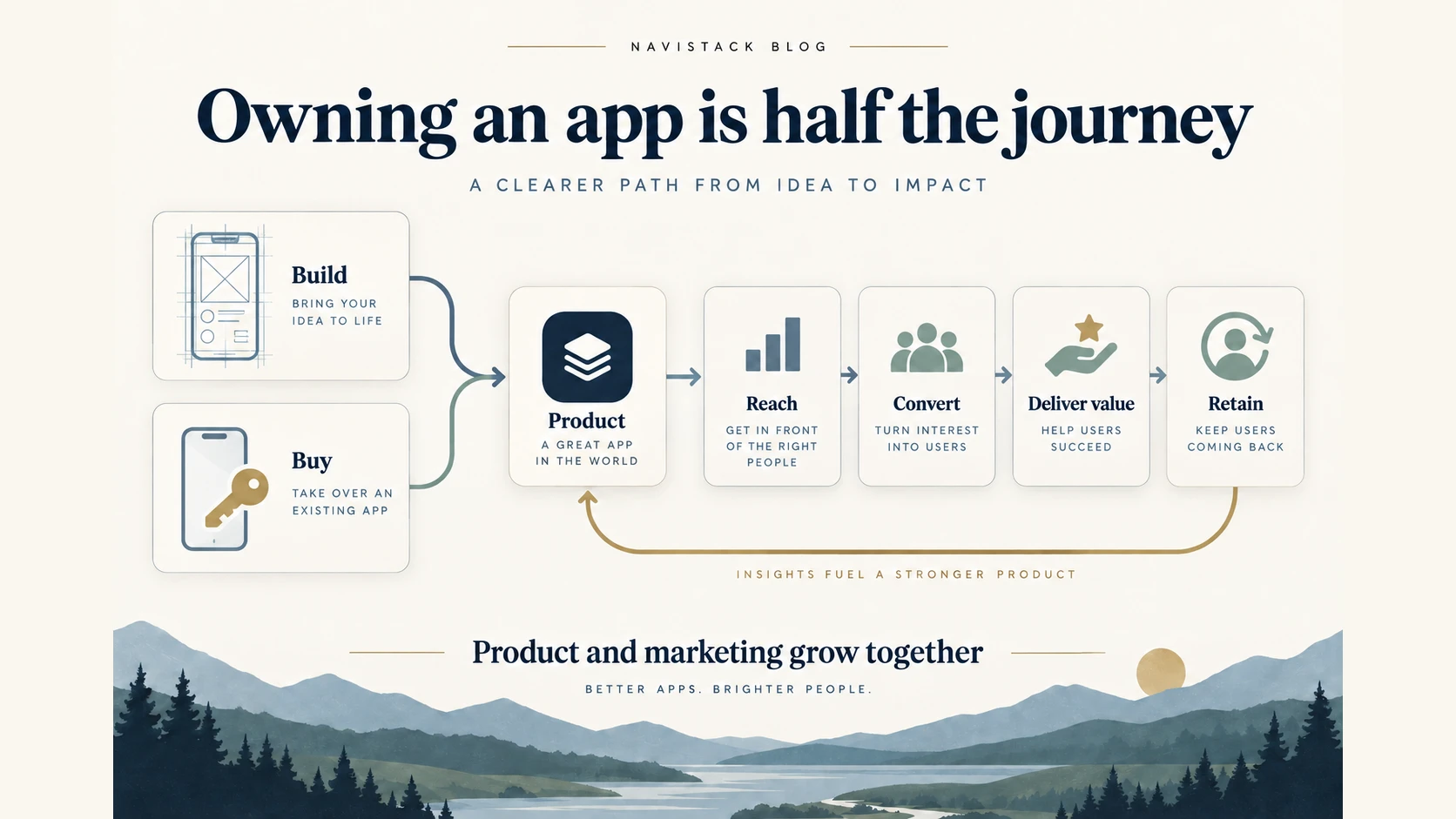
Building or buying an app gives you a product to work with. Marketing helps the right people discover it, understand its value, and decide whether to pay. Both jobs need time, attention, and a budget; “half the journey” isn't a literal 50/50 split of effort.
This guide turns that work into five steps: research your customer, shape the offer, create ad concepts, launch a focused campaign, and review the results. You'll build a practical mobile app marketing strategy around one audience and one test, using a hypothetical receipt-organizing app as the example.
You'll need an app you can demonstrate, a working destination and purchase flow, access to your usage and billing records, and time to review the test. If you're still building, use the customer research and offer steps to investigate demand before spending on ads.
TL;DR
| Step | What to finish |
|---|---|
| 1. Research your customer | An evidence-backed customer profile with the problem, trigger, workaround, and buying objections |
| 2. Build your offer | A clear outcome, product preview, answers to buying questions, one next action, and a reusable product brief |
| 3. Create ad concepts | A few distinct messages using the same product promise and destination |
| 4. Launch one focused test | A chosen channel, spending limit, verified tracking, and a written app marketing plan |
| 5. Review and improve | A record of purchases, costs, and return use, followed by one next decision; a small sample doesn't prove repeatable growth |
Before you start: check what you're building or buying
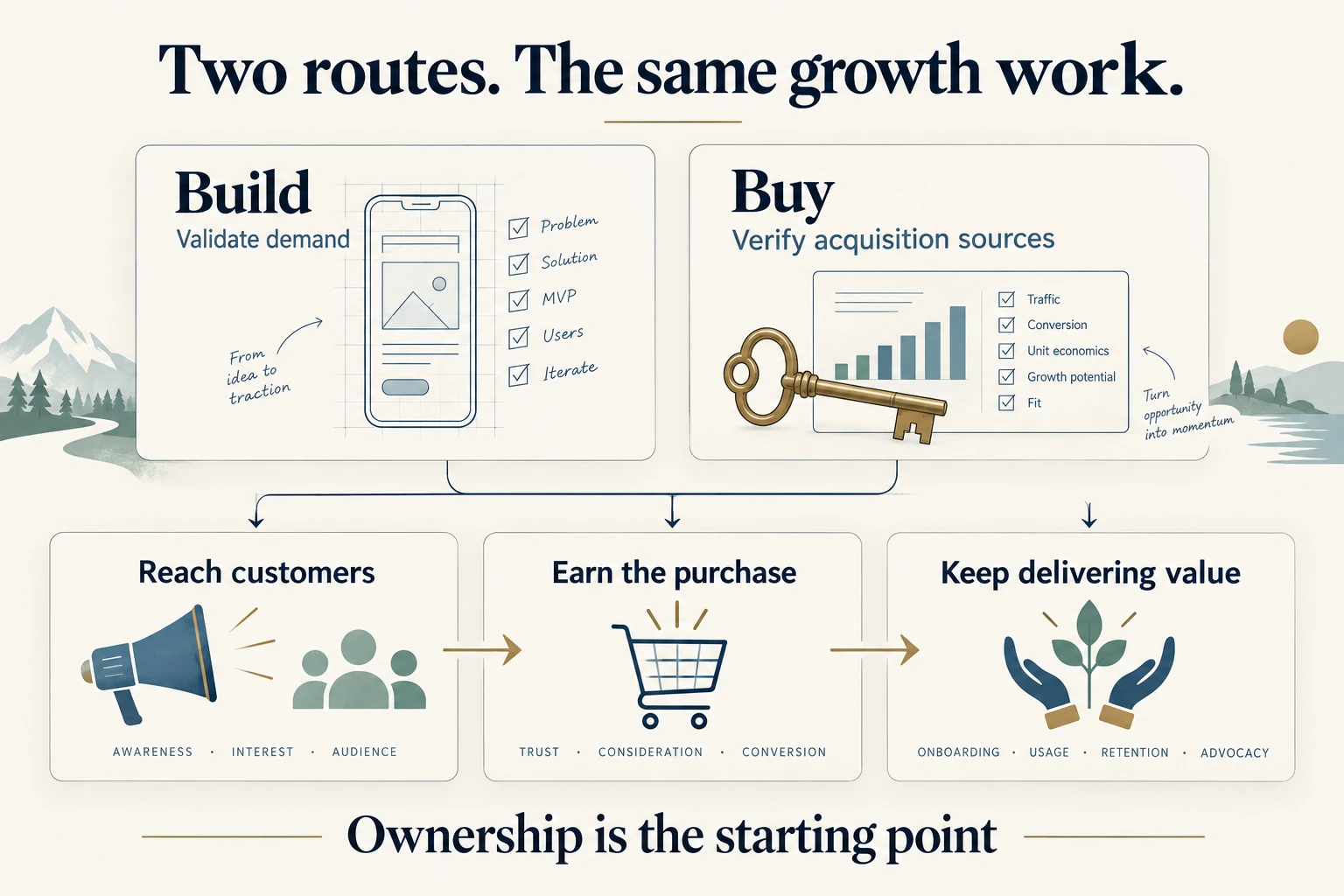
For a new app, write down the customer problem you expect it to solve and what evidence you have that people care about it. Keep time and money available for research, creative production, distribution, and product fixes after launch.
For an acquired app, check where its customers currently come from before changing its marketing. Request the underlying acquisition and billing records, understand the seller's role, and establish a baseline. Search traffic, a seller's personal following, a temporary promotion, and a paid campaign have different implications for the next owner.
Use our app acquisition due diligence guide to investigate those dependencies. If you're still deciding which route to take, the buying versus building guide covers the wider tradeoffs.
Before moving on: record the sources you need to preserve, the assumptions you need to test, and the resources available for marketing.
Step 1: Research your app's target customer
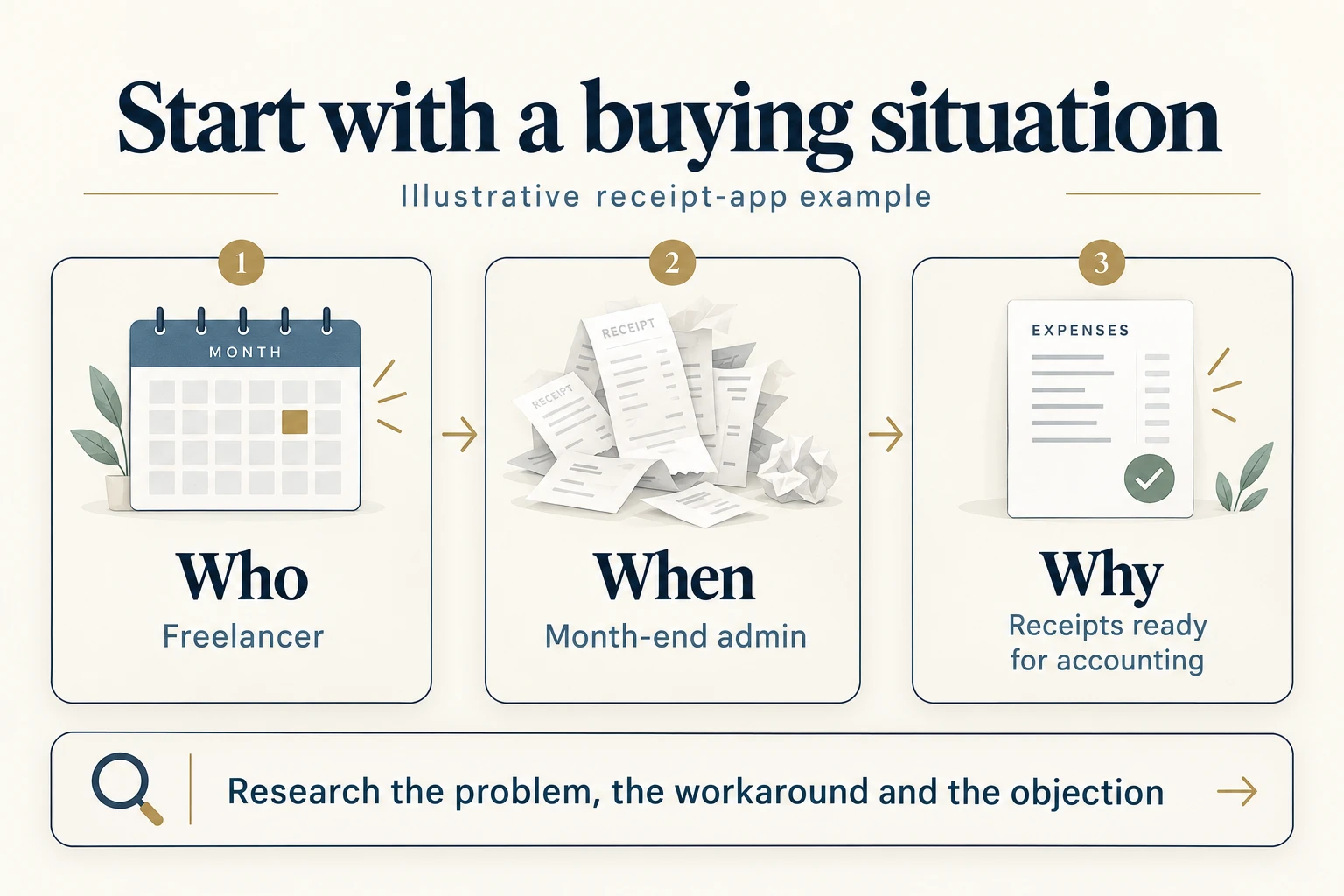
Choose someone whose problem your app can solve. An ideal customer profile, or ICP, should tell you what to demonstrate and where to reach that person. “People who want to be more productive” gives you too little direction.
- Name the situation. Who experiences the problem, and when does it become urgent?
- Find existing evidence. Review customer conversations, support tickets, product reviews, and relevant community discussions. Ask likely users about the last time they experienced the problem.
- Identify the workaround. What do they use today, what frustrates them, and why would they change?
- Review competing offers. Note who competitor pages address, what they promise, what they charge, and which questions they answer. Their copy is evidence of their positioning, rather than proof of what your customers believe.
- Write one working profile. Include the problem, desired outcome, buying objections, and sources supporting each conclusion. Keep assumptions separate.
For the hypothetical receipt app, start with a freelancer preparing a month-end accounting handoff. Receipts are scattered across email, photos, and a drawer. The desired result is an organized collection ready for an accountant; the current workaround might be a spreadsheet and manual sorting.
Treat that profile as a hypothesis until customer evidence supports it. You still need to establish whether the app delivers the result and whether people want it enough to pay.
Use the customer research skill
The customer research skill describes workflows for analyzing existing research and finding customer language in online discussions. Give your agent the actual material you've collected and ask it to distinguish evidence from assumptions.
Example prompt:
Use the customer research skill to analyze these interviews, reviews, and support notes for our receipt app. Identify the customer situation, trigger, current workaround, desired outcome, and buying objections. Attach sources to findings, flag contradictions, and list the questions we still need to ask. Don't invent customer quotes.
Read the source material alongside the summary. For an acquired app, combine historical support tickets and reviews with fresh conversations so you can assess whether the old audience still fits.
Finish with: a short customer profile and a source-backed research summary.
Step 2: Build a clear offer and product marketing brief
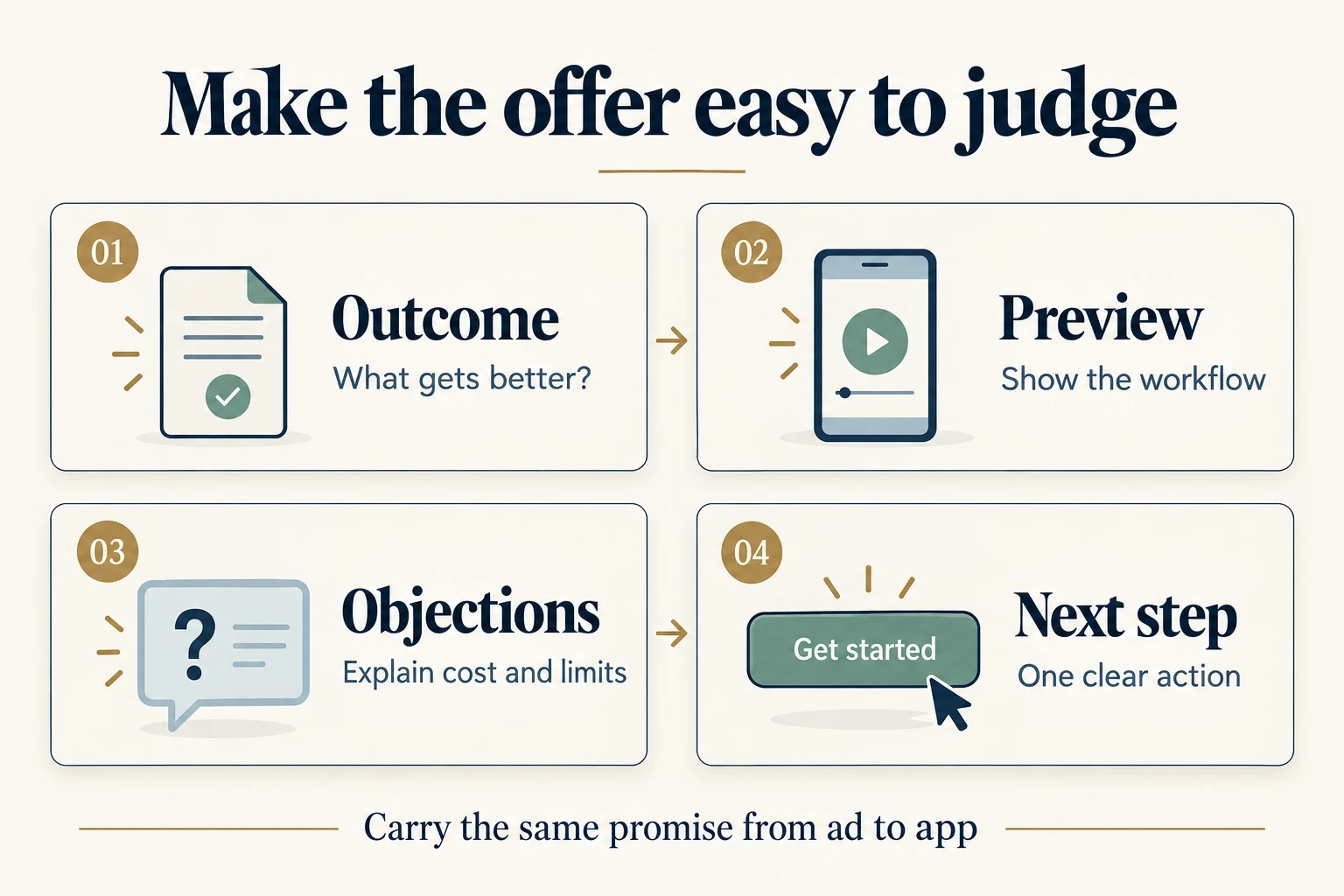
Your offer explains what someone gets, how it helps, what it costs, and what they should do next. Carry that explanation consistently across your landing page, store listing, paywall, and onboarding.
- Lead with the outcome. For the receipt app, try “Keep your receipts ready for your accountant.” Explain how importing, organizing, and exporting supports that promise. Use a time-saving number only if you can substantiate it.
- Preview the product. Show real screenshots or a short demonstration of what goes in, what the app does, and what comes out.
- Answer buying objections. Explain import formats, export contents, free allowances, paid-plan limits, and renewal terms where relevant. Put the answers near the purchase decision.
- Choose one next action. Download the app, try a sample workflow, or choose a plan, depending on the destination. Make the next useful action inside the app match the promise that brought someone there.
Read the page as someone who has never heard of you. Can they tell whether the app fits their situation, see it working, understand the terms, and find the next step?
Use the product marketing skill
The product marketing skill helps create a reusable positioning and messaging document. Its documented destination is .agents/product-marketing.md, which gives later marketing tasks shared context.
Example prompt:
Use the product marketing skill to create a reusable brief from our verified product information and customer research. Capture who the app is for, the problem, desired outcome, current alternatives, supported product claims, pricing and limits, objections, and next action. Mark unknowns and assumptions so they don't become promises in our ads.
Review that document before asking the agent to write copy or plan a campaign. Update it when you learn something that changes the audience, offer, or product.
If the buying step needs work, our RevenueCat and Superwall comparison explains their roles in subscriptions and paywalls. Use the subscription launch checklist to check purchase, restore, and access behavior before sending more users through it.
For eligible iOS and iPadOS apps, Apple's product page optimization can test icons, screenshots, and previews. It measures download conversion; you still need to examine what happens inside the app. Apple's product page optimization overview
Finish with: a destination that explains the offer and a reviewed product marketing brief.
Step 3: Create ad concepts for different reasons to buy
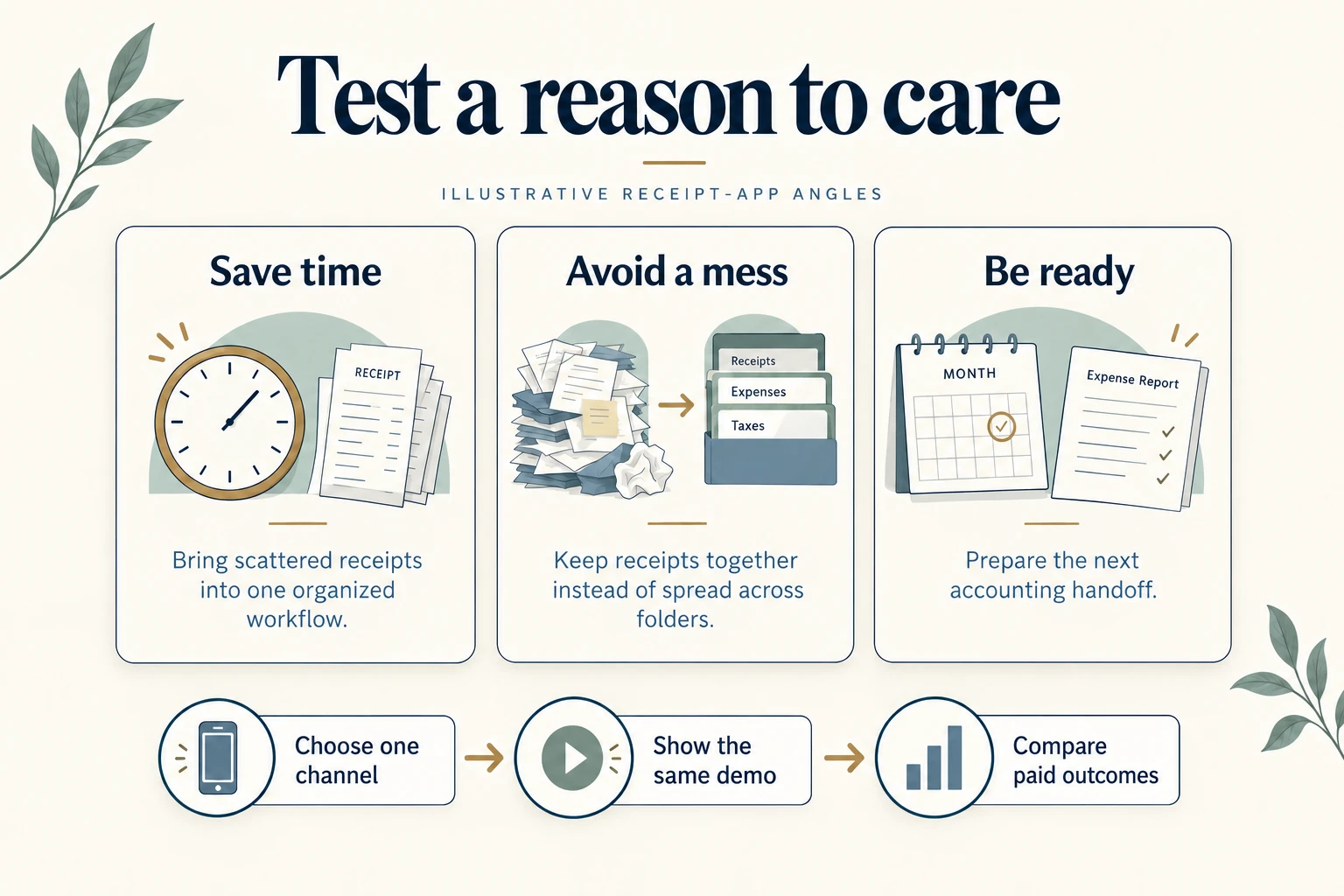
Ad creative is the image, video, and copy someone sees in a campaign. Each concept should test a reason to care about the product.
- Choose a few distinct angles. Use the problems and desired outcomes from your customer research.
- Write the message for each angle. State the hook, what the product demonstration will show, and the next action.
- Make the assets. Use actual product screens or a demonstration that accurately represents the app. AI can help with concepts, scripts, and variations.
- Check every claim. Remove invented testimonials, unsupported savings, and visuals that suggest capabilities the app doesn't have.
- Keep a record. Give each creative a name, angle, file, and destination so you can connect results to the message later.
For the receipt app, the initial concepts could look like this:
| Angle | What to show | What you're investigating |
|---|---|---|
| Save time | The steps from a scattered receipt to an organized record | Whether reducing administrative work motivates this audience |
| Avoid a mess | Receipts brought together from different sources | Whether keeping records in one place is the stronger reason to care |
| Be ready | The finished export before an accounting handoff | Whether the month-end deadline makes the offer more relevant |
Keep the product promise and destination consistent enough to interpret the result. Three colors around the same headline tell you less about customer motivation than three different reasons to use the app.
Use the ad creative skill
The ad creative skill describes generating and revising ad copy using product context, creative angles, and performance data. Specify the intended platform and format so the ideas fit the placement.
Example prompt:
Use the ad creative skill with our product marketing brief to draft three distinct concepts for our chosen placement: save time, avoid a mess, and be ready. For each, give the hook, primary text, product demonstration, and next action. Use only supported claims and explain which customer motivation the concept tests.
Treat the output as material to review and produce. An image or video still needs to be created and checked before it can run.
Our AI UGC-style reaction video workflow covers one production process. It doesn't establish that those videos will acquire profitable customers.
Finish with: a small set of reviewed creatives and a record of the angle behind each one.
Step 4: Launch a focused app marketing campaign
Choose one channel you can operate and measure. Paid ads are one way to promote an app; search discovery, useful content, and relevant communities may also fit the customer situation.
Choose how to promote your app
| App promotion channel | When to consider it | What to check |
|---|---|---|
| App store optimization (ASO) | People search for the problem or category your app addresses | Relevant terms, a clear listing, and whether visitors download and use the app |
| Useful content and demonstrations | The problem or workflow needs explanation | Whether the content reaches likely customers and leads to useful activity |
| Communities and relevant partners | Your audience gathers around an interest or profession | Whether the audience fits, promotion is welcome, and traffic leads to engaged users |
| Paid app advertising | You can fund a bounded test of an audience and message | Attributed purchases, acquisition costs, and behavior after the first payment |
ASO means improving how people discover and assess your app in a store. For iOS, Apple describes search relevance using the title, subtitle, keywords, and primary category, alongside user behavior. Choose accurate terms and show the relevant workflow in the listing. Apple's App Store search guidance
Organic promotion takes time to produce and maintain. Paid exposure costs money. Compare the customers each approach brings in, alongside the work needed to operate it.
Set up the test before spending
- Define the goal. Write down the action you want someone to take and how you'll recognize a useful result. A click, install, first useful action, and paid purchase are different outcomes.
- Choose the audience and market. Use your customer profile. Consider language, pricing, support needs, and customer value; our country tiers guide frames those questions.
- Set a spending limit. Budget for production, distribution, measurement, and review time. Choose an amount you can spend without relying on sales to recover it.
- Verify the destination and tracking. Check the page, store listing, purchase flow, and event recording. Reconcile paid conversions with store or billing records, and choose a consistent reporting window.
- Prepare the campaign. Enter the goal, audience, placements, budget, destination, and reviewed assets. If an agent helps, give it the product brief and inspect the final configuration before launch.
- Launch and check delivery. Confirm that the campaign reaches the intended destination and that events are being recorded. Review results at your planned checkpoint.
There is no single useful answer to how much it costs to market an app. The channel, market, production work, and purchase rate change the cost. If the affordable budget produces too little evidence, narrow the question or begin with conversations and organic promotion.
When a campaign gives creatives uneven exposure, their results may only support a directional comparison. A controlled test may be needed to distinguish the effect of the message.
Write your app marketing plan
Keep the decisions in one short document. This is an illustrative starting point for the receipt app:
| Decision | Example to adapt |
|---|---|
| Target audience | Freelancers preparing a month-end accounting handoff |
| Offer | Collect receipts and prepare an organized export; explain the actual price and limits |
| First channel and message | A short workflow demonstration built around being ready for the handoff |
| Budget | An explicit cap covering production and distribution, with review time reserved |
| Measurement | First useful action, new paying customers, acquisition costs, and return use |
| Next decision | Continue, change the message, fix the product, or gather more evidence |
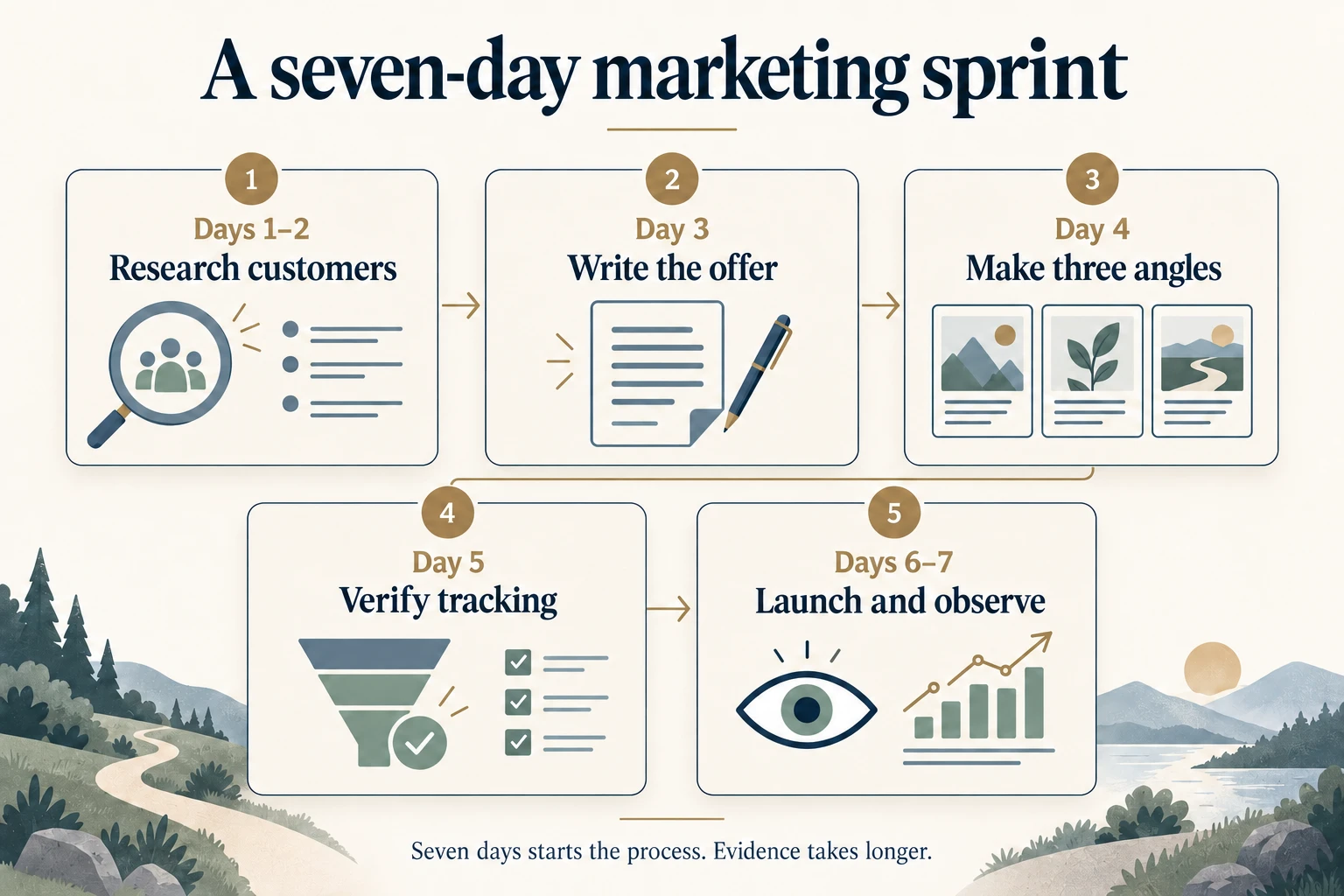
Use this suggested week to organize the first pass. It is a working schedule, rather than a deadline for proving profitability:
| When | Work to finish |
|---|---|
| Days 1–2 | Research customers and choose one situation to investigate |
| Day 3 | Write the offer and reusable product marketing brief |
| Day 4 | Make a few distinct creative angles |
| Day 5 | Verify the destination, purchase flow, tracking, budget, and reporting window |
| Days 6–7 | Launch, check delivery and data quality, and record what needs more evidence |
Finish with: a written app marketing plan and one campaign whose settings, spending limit, and tracking you have checked.
Step 5: Measure user acquisition costs and retention
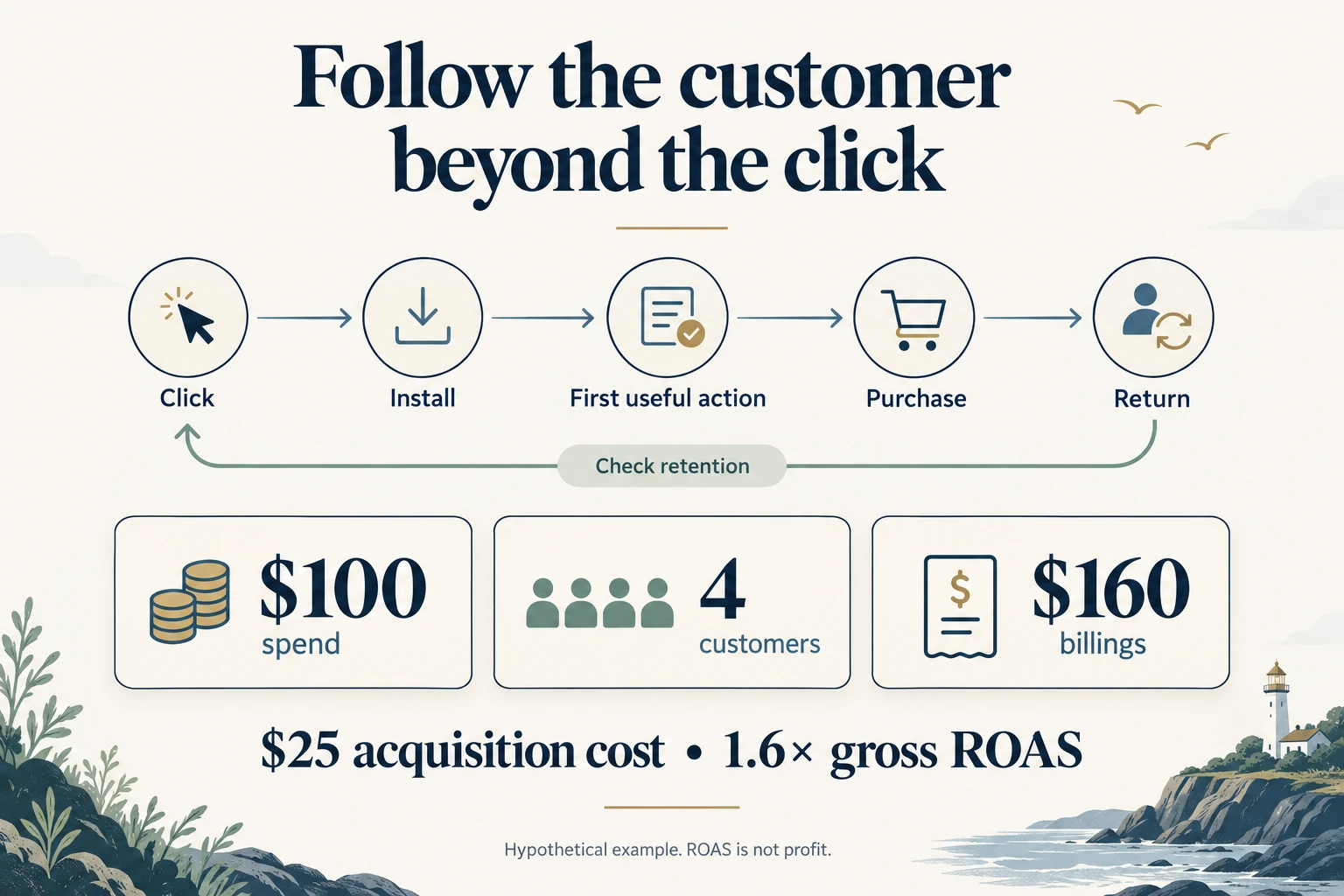
User acquisition means bringing new users to the app. Your app marketing funnel follows what happens next: do they install, complete a useful action, pay, and return? Retention measures continued use over time.
- Review the full journey. Compare clicks, installs, the first useful action, purchases, and return use. For the receipt app, the first useful action could be importing and organizing a receipt.
- Check the records. Make sure the events and attributed purchases agree with the definitions and billing records you chose before launch. A website-to-store click alone doesn't establish an install or purchase.
- Calculate the cost and return. Compare spend with new paying customers and attributed billings from the same reporting window.
- Account for ongoing costs. Include refunds, store or payment fees, delivery costs, production work, and customer service. An annual subscription also creates an ongoing service obligation.
- Choose the next change. Use the point of drop-off to decide what to investigate, then record the result and next action.
Google Analytics funnel explorations can examine recorded steps and drop-offs. Their usefulness depends on the events and definitions you set up. Google's funnel exploration documentation
Work through a campaign example
These figures are hypothetical, using attributed gross billings from the same window:
| Metric | Illustrative result |
|---|---|
| Advertising spend | $100 |
| New paying customers attributed to the test | 4 |
| Gross billings attributed to the test | $160 |
| Ad spend per new paying customer | $100 ÷ 4 = $25 |
| Gross return on ad spend (ROAS) | $160 ÷ $100 = 1.6× |
Gross ROAS compares attributed billings with ad spend. It doesn't establish profit. Our ROAS calculator lets you explore how several costs change the result; fixed overhead and future obligations still need their own review.
Four purchases are a small sample. One extra sale or refund can move the result substantially. Before spending more, allow time to observe use, refunds, and renewals where relevant, and gather enough evidence for the decision you're making.
Turn the result into the next task
| What you observe | What to investigate |
|---|---|
| Few clicks | Audience fit, message, creative, and whether the campaign received enough delivery |
| Clicks but few installs | Store page, destination, and the promise that brought people there |
| Installs but little useful activity | Onboarding, first-use friction, and whether the product delivers the expected result |
| Purchases followed by abandonment | Continued value, expectations, and the customer situation |
| Too little data | Tracking quality, exposure, and whether a narrower test is affordable |
These are starting points for investigation, rather than diagnoses. Put one next decision in the review log: continue the test, change the message, fix the product, or gather more evidence.
For an acquired app, compare the results with the baseline and preserve sources that still work. Avoid changing pricing, onboarding, and campaigns together if you want to understand what caused a change. For a new app, use the same discipline to discover which customer, message, and channel deserves more attention.
Finish with: a campaign review, one next action, and a checkpoint for reviewing that change.
Keep reading
More practical guides and comparisons selected for this topic.