How many TikTok and Instagram accounts can you have? Running several for one app
TikTok and Instagram both allow multiple accounts. Here's what their rules say, how to set each account up, warm it, check its health and run them for one app.
Research method and disclosure
A documentation-based guide. TikTok's Integrity and Authenticity guidelines, For You feed eligibility standards and support pages, Instagram help pages and Meta's Community Standards were checked on November 25, 2026. The account plan and weekly routine are hypothetical examples; NaviStack has not published a test of this procedure. Images are AI-generated editorial illustrations.
NaviStack sells the UGC Social Growth service described near the end of this guide.
You can run several TikTok and Instagram accounts for one app. Both platforms allow it. What they don't allow is using those accounts to mislead people, fake engagement, or get around a ban. The practical work is giving each account a clear job, keeping its logins secure, and producing enough useful content for all of them.
This guide is based on TikTok and Instagram help pages and community guidelines checked on November 25, 2026. Platform limits and menus change, so check the linked pages before you rely on a number. It describes how NaviStack structures its own UGC Social Growth service; it doesn't report results from a published test. Images are AI-generated editorial illustrations.
TL;DR
| Your question | Short answer |
|---|---|
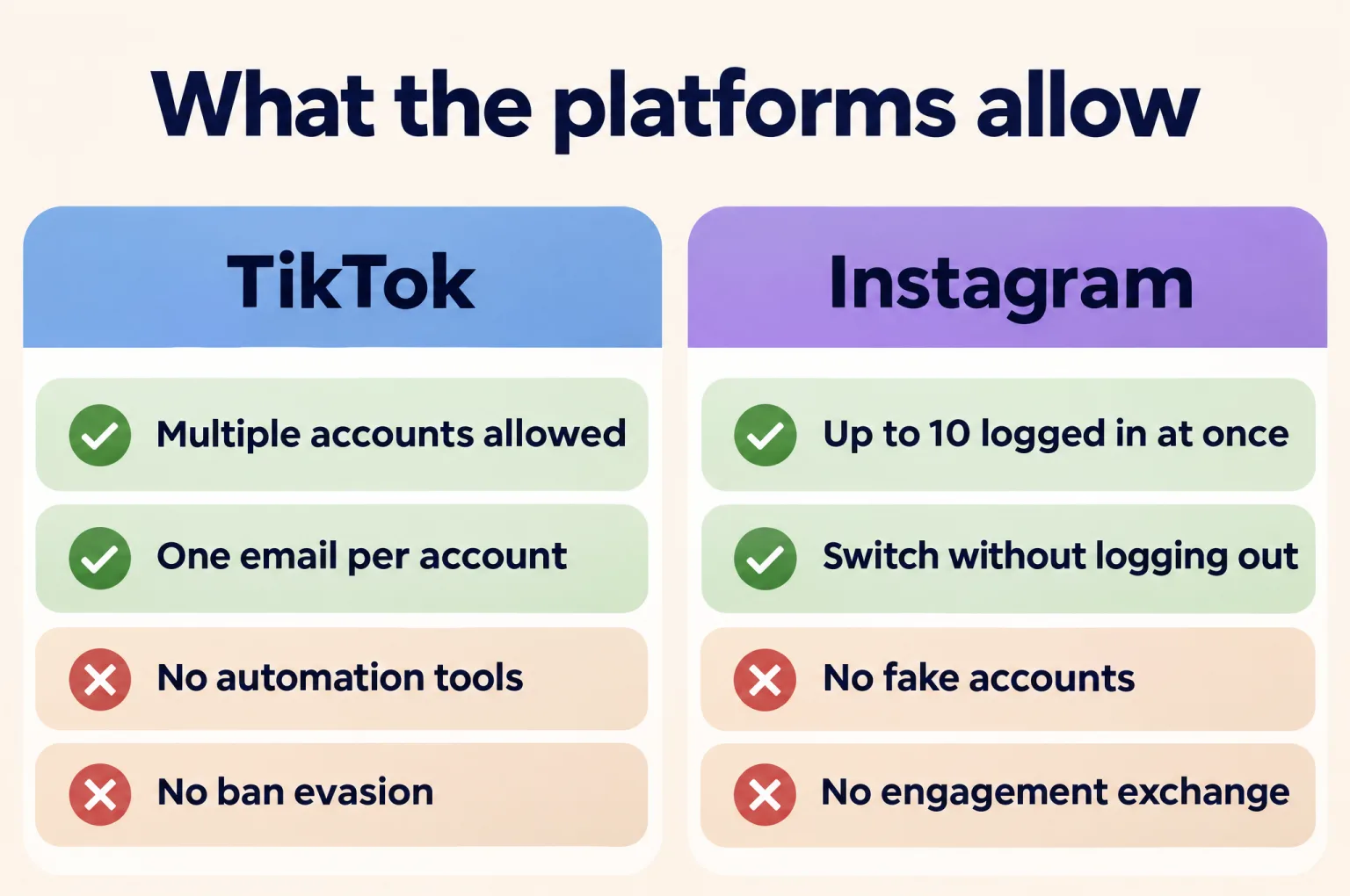
| Can you have more than one TikTok account? | Yes. TikTok allows multiple accounts, but not to deceive others or break its rules. Each account needs its own email address. |
| How many Instagram accounts can you have? | Instagram's help center says you can have up to 10 accounts logged in at one time and switch between them without logging out. |
| What gets extra accounts restricted? | Automation tools, bought or exchanged engagement, misleading identities and new accounts created to get around a ban. |
| How should one app run several accounts? | Give each account one angle and one market, warm it in that niche before it posts, and review hooks and formats monthly. |
| When does it make sense to hand it off? | When producing, approving and posting for every account takes more time than your team can give it. NaviStack can run it for you. |
How many accounts you can have
TikTok
TikTok's current Integrity and Authenticity guidelines say you can have multiple accounts, giving fan content and creative expression as examples, "but not to deceive others or break the rules." That version was released on August 25, 2026 and took effect on September 24, 2026.
Each account needs its own login details. TikTok's email and phone number help page says an email address can be associated with only one TikTok account, so a new account needs a different email address. The same page recommends adding a phone number, which can also let you turn on 2-step verification.
We didn't find a published limit on how many accounts you can add to the account switcher in TikTok's help center. The switcher in your app is the reliable place to check. So the practical answer to how many TikTok accounts you can have is more than one, used within TikTok's rules; TikTok doesn't publish a fixed number.
Instagram's help page on adding and switching profiles says you can switch between accounts you've added without logging out and back in, and that "you can have up to 10 accounts logged in at one time." You can also create an additional profile for the same Instagram account and choose whether to add it to Accounts Center. Older versions of the mobile help text gave a lower number, so check the current page if the exact count matters for your setup.
Meta's Community Standards on inauthentic behavior don't allow people to misrepresent themselves or use fake accounts. Its spam standards cover networks of inauthentic accounts that deliver fake engagement and exchanging content for likes, follows or other engagement.
Why one app might run several accounts
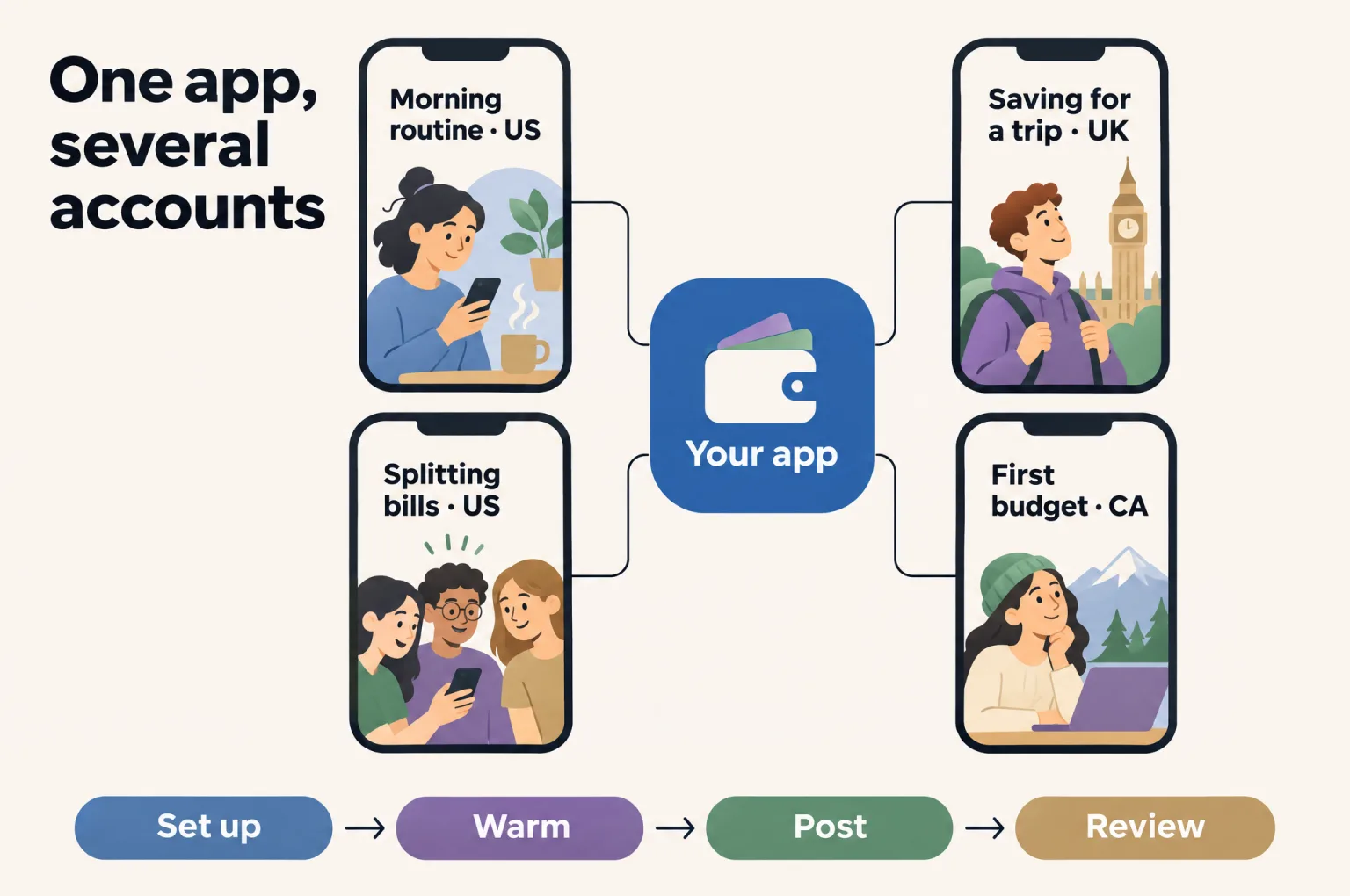
Your brand account mostly reaches people who already know your app. A separate account built around one use case can reach people who are interested in that problem but have never heard of you. A budgeting app might run one account about saving for a trip and another about splitting rent, each showing the same app solving a different situation.
Several accounts also let you compare hooks and formats side by side. When two accounts post the same app demo with different openings, you can see which opening holds attention in that audience before you change the rest of your content. A single account's history is harder to read because every post competes with the one before it.
Separate accounts are a poor fit when you can't produce enough content to post on each of them regularly, or when the accounts would say the same thing to the same people. In that case, put the effort into your main account first.
Set up each account properly
Decide how you'll operate the accounts before you create them. Most of the work is ordinary account hygiene that becomes hard to repair later.
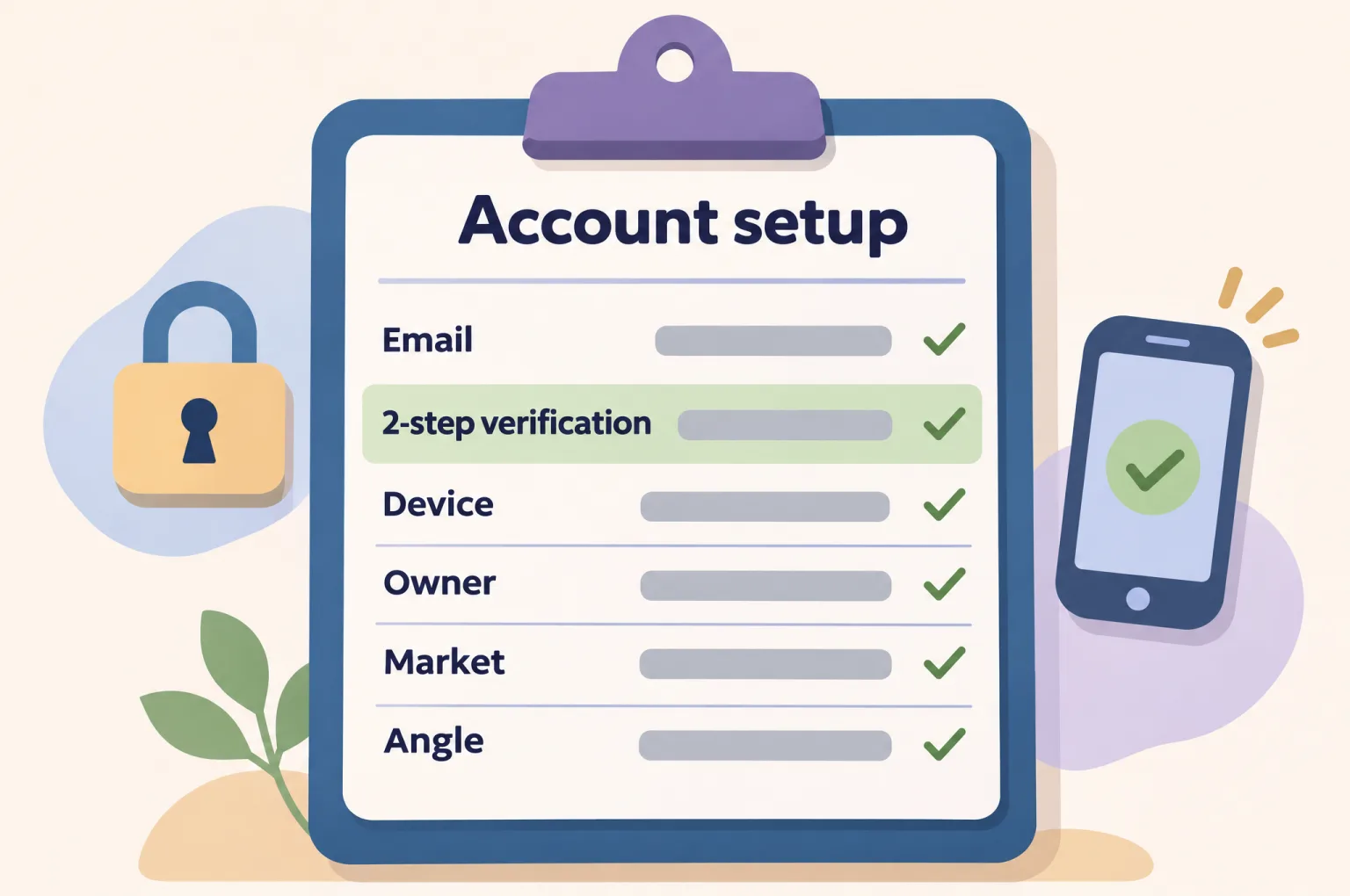
| Decision | What to record |
|---|---|
| Login details | A separate email address for each TikTok account, plus a phone number where you can receive codes |
| Security | 2-step verification on TikTok and two-factor authentication on Instagram, with backup codes stored where your team can find them |
| Device | Whether the account lives in the app on a shared phone through the account switcher or on its own phone |
| Owner | Who holds the login, who can post, and who approves content before it goes out |
| Market and language | The country and language the account is for, which should match the content you post |
| Angle | The one use case or audience the account is built around |
On Instagram, two-factor authentication is managed in Accounts Center under Password and security. Instagram recommends an authentication app because you can connect more than one device to receive login codes. That helps when more than one person on your team needs access.
Using the built-in account switcher on one phone keeps things simple for a small number of accounts. Separate phones make it easier to keep each account's notifications, feed and language settings apart when the accounts serve different countries. Either way, use real devices and the official apps. TikTok's guidelines prohibit "automation tools, scripts, or other tricks designed to bypass our systems," and tools built to disguise who operates an account fall on the wrong side of that line.
Give every account one role
An account that posts about everything gives the platform and the viewer little reason to connect it with an audience. Give each account one angle, one market and a format mix you can sustain. Then write the role down so the person making content knows what belongs on that account.
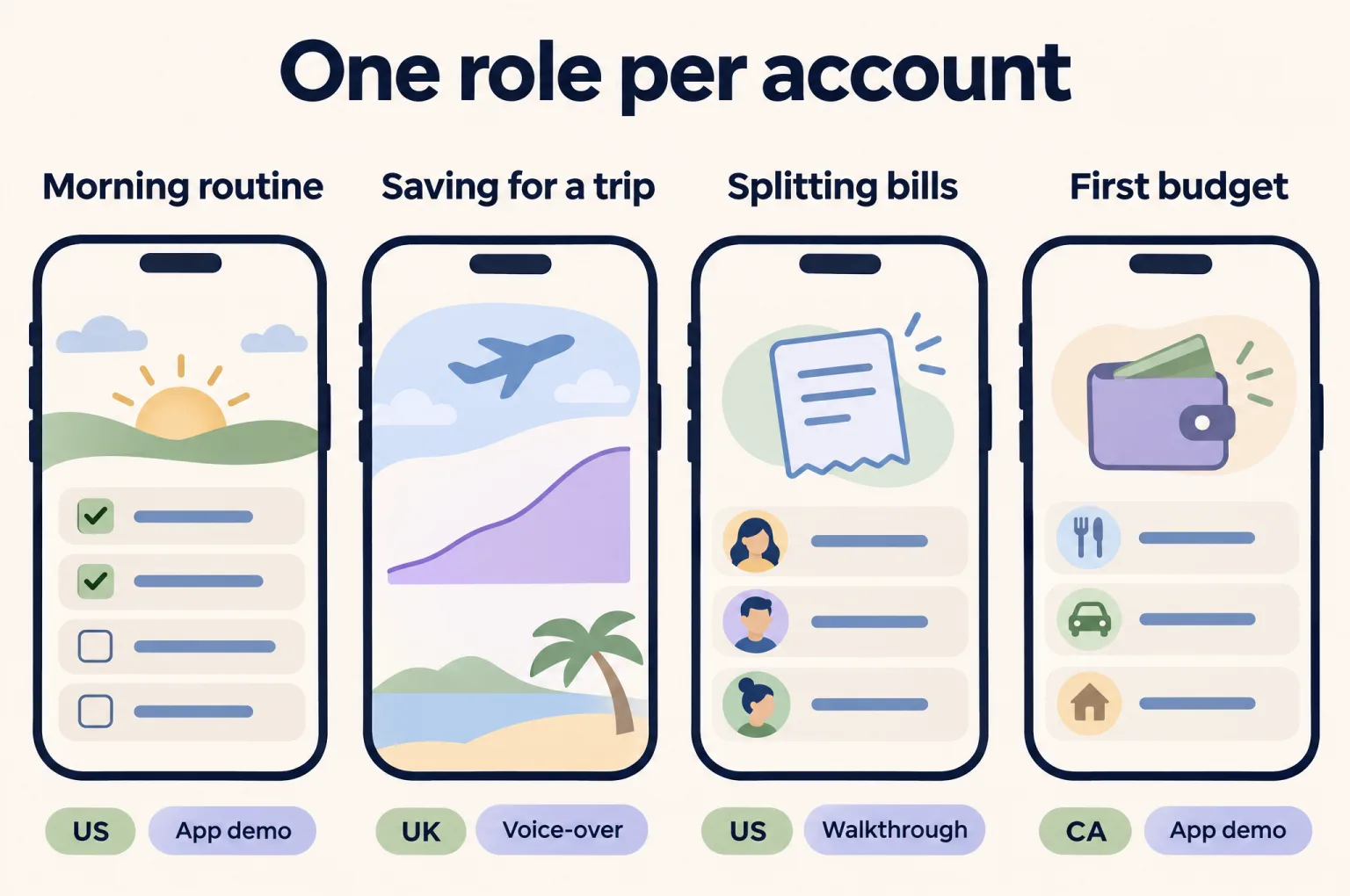
| Account | Angle | Market | Formats |
|---|---|---|---|
| Account 1 | Morning routine and planning the day | United States | App demo, walkthrough |
| Account 2 | Saving for a trip | United Kingdom | Faceless voice-over, app demo |
| Account 3 | Splitting bills with housemates | United States | Walkthrough, AI presenter |
| Account 4 | First month using a budget | Canada | App demo, occasional slideshow |
This table is a hypothetical plan for a budgeting app, not a recommended number of accounts. Start with as many accounts as you can supply with original posts every week. Adding accounts multiplies the production work; it doesn't reduce the need for good content on each one.
Keep the angles different enough that two accounts aren't competing for the same viewers with the same post. Reusing one app demo with a new hook and caption for each angle is fine. Posting identical videos across every account gives you little new information.
Warm a new account before it posts
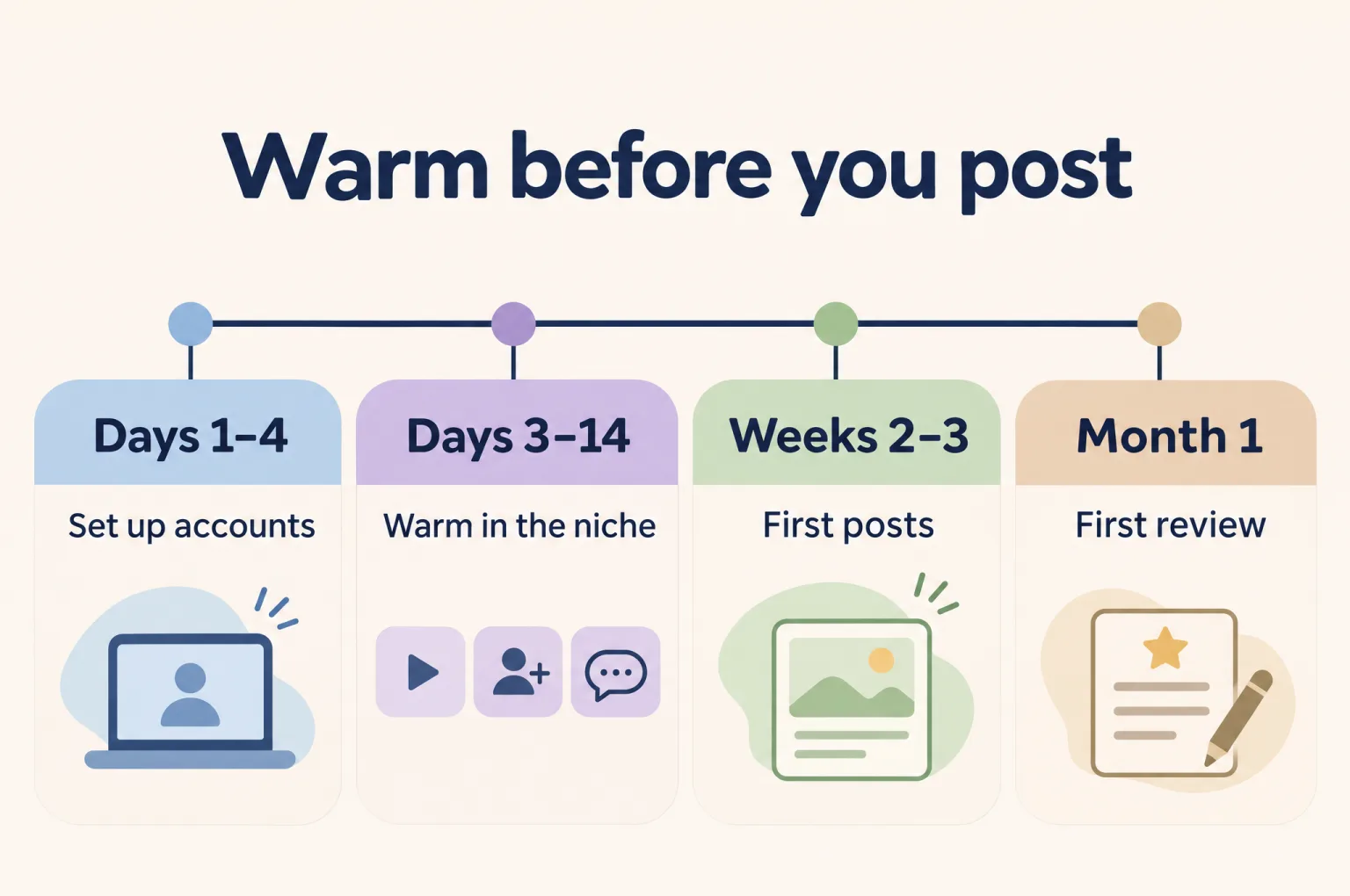
A new account has no history in its niche. Before it posts about your app, spend time using it the way an interested viewer would. Watch, follow and engage with content in that niche from the account, in the language and market it's for. The account gets real activity in its niche before it posts, and you get a feel for the hooks and formats people there already respond to.
There's no official warming schedule from either platform. In our service, accounts are set up in the first few days and then used in their niche for roughly days 3 to 14 while the first content is produced, with the first posts going out in weeks two to three. Treat that as one workable plan, not a requirement.
Engagement during warming should be genuine. Don't buy followers, use engagement groups or follow-for-follow exchanges, or run tools that like and comment automatically. TikTok's guidelines prohibit services that artificially boost engagement and say it removes fake likes and followers it detects. Meta's spam standards cover exchanging content for engagement.
Stay inside the platform rules
Running several accounts is allowed. The problems start when the accounts are used to mislead people or manipulate the platform. These are the lines that matter most for an app running organic accounts, based on the TikTok and Meta pages linked above.
| Do | Don't |
|---|---|
| Make each account's purpose clear from its content and profile | Pretend to be an unrelated customer or impersonate a real person |
| Post original demos and explainers that show what the app does | Buy or exchange likes, follows, comments or views |
| Use the official apps on real devices | Use automation tools, scripts or tricks to bypass platform systems |
| Label AI-generated or significantly edited content when TikTok requires it | Create a new account to get around a restriction or ban on another account |
| Let each account earn its audience over time | Coordinate accounts to mislead people or manipulate the platform's systems |
TikTok says that if an account is restricted or banned, you may not create or use another account to get around it, and it may ban the additional accounts as well. If one account gets a restriction, fix the cause and appeal through the platform's process. Moving the same content to a fresh account risks losing both.
Check account health
Both platforms give you a status page, and checking it should be part of your routine.
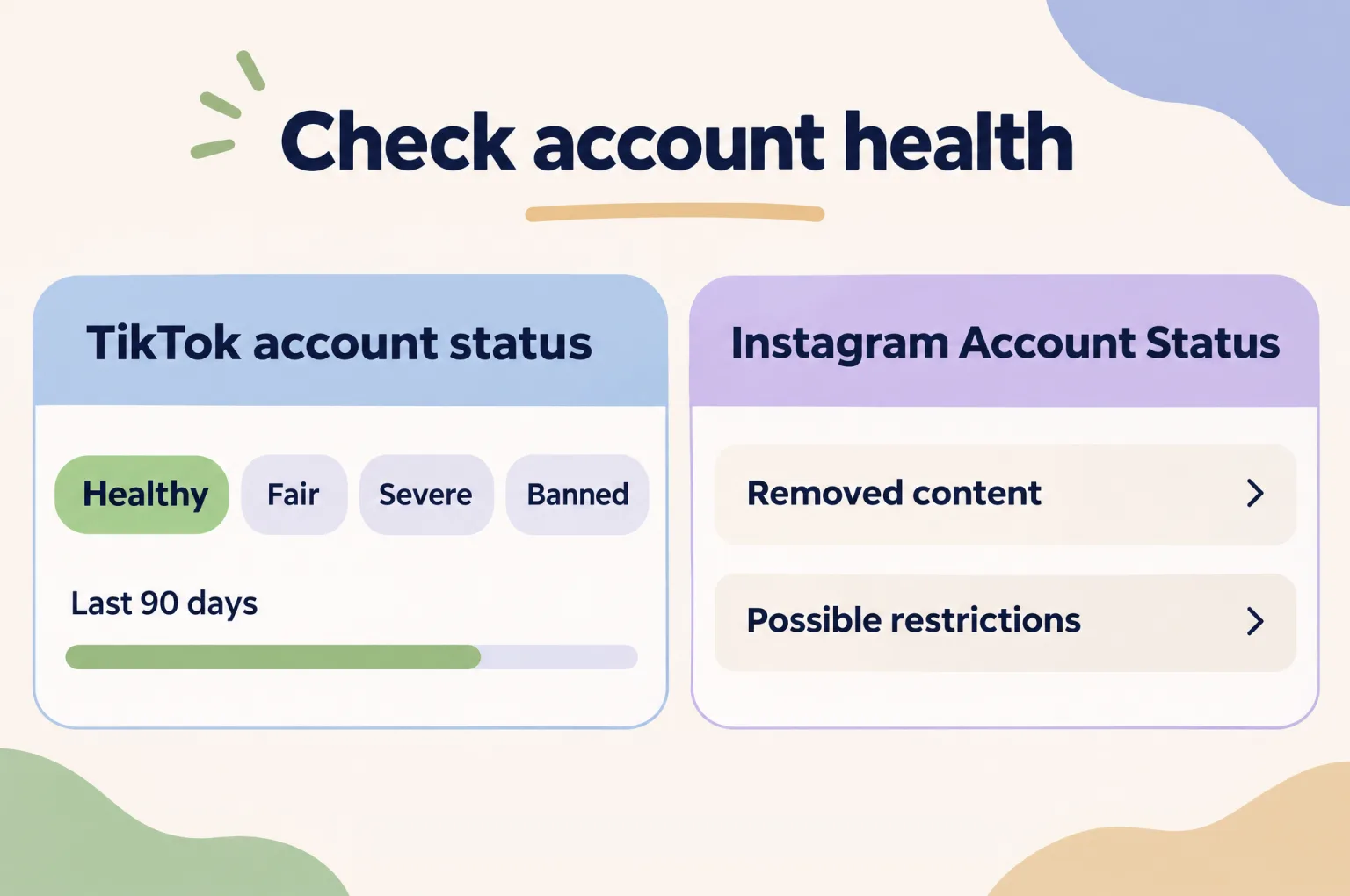
On TikTok, account status reflects your violation history across the last 90 days and can be Healthy, Fair, Severe or Banned. The Account check tool in TikTok Studio and the Safety Center shows whether an account is restricted from logging in, posting, commenting, editing its profile or sending messages.
On Instagram, Account Status shows content that was removed for going against the Community Standards and whether it may lead to restrictions. Instagram says that in most cases you'll get a warning before losing access to an account.
Low views on their own don't prove a problem. TikTok's For You feed eligibility standards say some content isn't eligible for the For You feed but can still be found through search or the creator's profile, and that a video not getting many views "doesn't necessarily mean it broke a rule." Check the status pages first. If an account is healthy and a post still struggles, look at the hook, format or angle next.
A weekly routine for several accounts
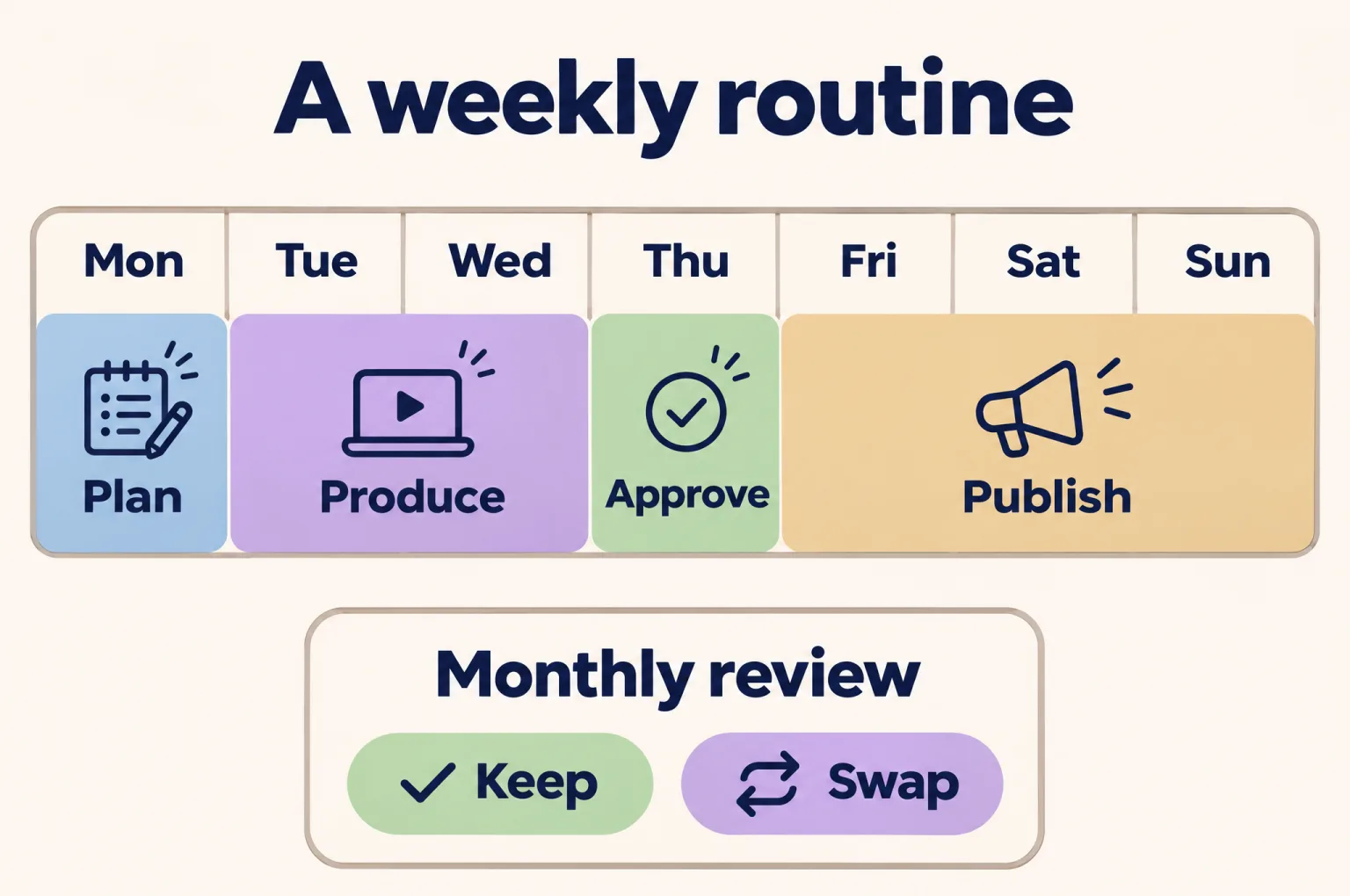
A simple, repeated schedule is easier to keep than bursts of activity. This is one routine for a small team; adjust the days to your own calendar.
| When | Task |
|---|---|
| Monday | Plan the week's posts per account: angle, hook, format and caption |
| Tuesday and Wednesday | Produce the videos and on-screen text |
| Thursday | One named person approves every post and its claims |
| Friday to Sunday | Publish natively from each account and reply to comments |
| Every day | Check account status and notifications on each account |
| Monthly | Compare hooks and formats across accounts; keep what holds attention and replace the rest |
One approver matters more than it looks. Several accounts mean several posts a day, and a single person checking claims, captions and on-screen text keeps the accounts consistent with what your app actually does. The monthly review is where several accounts are most useful: you can compare the same idea across different audiences instead of guessing from one feed.
If you advertise as well, the formats that work organically are useful input for paid creative. Our guide to AI UGC-style reaction videos covers one way to test openings, and the app marketing guide connects any channel back to customers and retention.
When to hand it off to a UGC agency
Running one or two accounts yourself is a good way to learn what your audience responds to. Each extra account adds production, approval, posting and monitoring work every week, and health checks don't stop once an account is live. Hand it off when the work is taking time away from the product, when posts are going out irregularly, or when you want accounts in markets your team doesn't know well.
Every step in this guide is part of NaviStack's UGC Social Growth service:
| What this guide asks you to do | What we handle for you |
|---|---|
| Set up accounts with separate logins and security | We create and secure the accounts in your target country |
| Give each account one role | A strategy brief sets each account's angle, market and format mix |
| Warm each account before it posts | Every account is warmed in its niche before the first post |
| Produce original posts every week | We make app demos, walkthroughs and faceless or AI-presenter videos |
| Approve, publish and reply | You approve each post; we publish natively and reply to comments |
| Check account health | We monitor every account and replace one if it needs it |
| Review hooks and formats monthly | You get a monthly read on which hooks and formats to keep |
Packages start at $2,400 a month for five accounts in one market, with first posts going out in weeks two to three. It runs alongside your paid campaigns rather than replacing them.
When you compare providers, ask who owns the accounts and logins, how accounts are warmed, how content is approved, and what happens when an account is restricted. A provider that promises a set number of views or followers is promising something neither platform lets anyone control. We don't make that promise; we report what each post did and change the mix from there.
Questions about running multiple accounts
Can you have multiple TikTok accounts on one phone?
Yes. The TikTok app lets you add accounts and switch between them. Each account still needs its own email address, and every account has to follow TikTok's rules on its own.
How do you make a second TikTok account?
Add a new account in the app and sign up with an email address that isn't already linked to another TikTok account. Add a phone number so you can turn on 2-step verification, and record who owns the login before the account starts posting.
Will running several accounts get me banned?
Having several accounts is allowed on both platforms. Accounts get restricted for what they do, such as using automation tools, faking engagement, misleading people or getting around an earlier ban.
How many accounts should an app start with?
Start with the number you can supply with original posts every week. NaviStack's own packages start at five accounts in one market, but a smaller team doing the work in-house may get more from fewer accounts posted on consistently.
Keep reading
More practical guides and comparisons selected for this topic.